WHAT IS "CROSS IT!"?
Cross it! is the superb instant game from Indigo Magic where your task is to guide one of the animals across a highway with chaotic traffic and big bet multipliers. Each step is a gamble and you have to choose between keep crossing or cash out.
Basic Rules
The minimum bet is {value}.
The maximum bet is {value}.
You can select the bet amount and game difficulty only before starting a new round.
Enable Autoplay to automatically place bet and difficulty for the next round.
If the player successfully crosses a lane 8 times in a row, a streak counter appears showing the player's current streak. This doesn't affect the gameplay and is purely cosmetic.
Enable Auto Cashout to automatically collect wins. Depending on the difficulty, the minimum value to set is {min_cashout} x bet, while the maximum is {max_cashout} x bet, which is the maximum win achievable.
RTP of this game is {RTP}%.
HOW TO PLAY
Step 1:
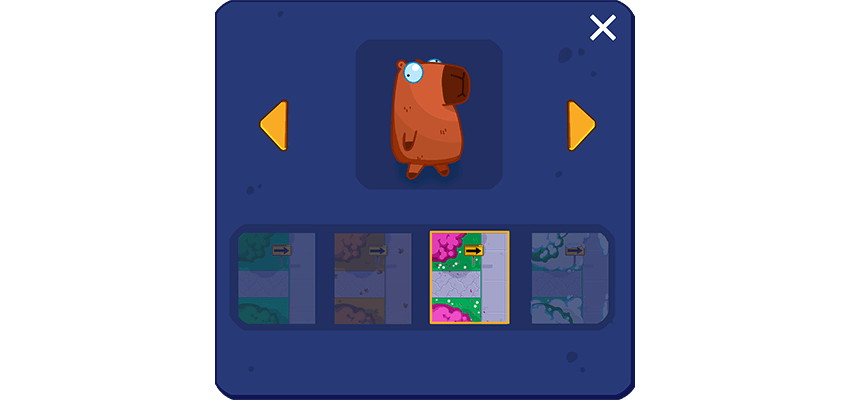
Select your favourite character to help them cross the highway and win big multipliers. You can also select your favourite season for a personalised adventure.
Step 2:
Select a bet amount and difficulty. You can modify the bet or difficulty only before starting a new game round.
There are four difficulty levels:
Easy: lower traffic and risk, with smaller multipliers.
Medium: a good balance between risk and multipliers prizes.
Hard: busy traffic with more risk and bigger multipliers.
Crazy: crazy traffic with crazy multipliers.
Alternatively, use Autoplay settings.
Step 3:
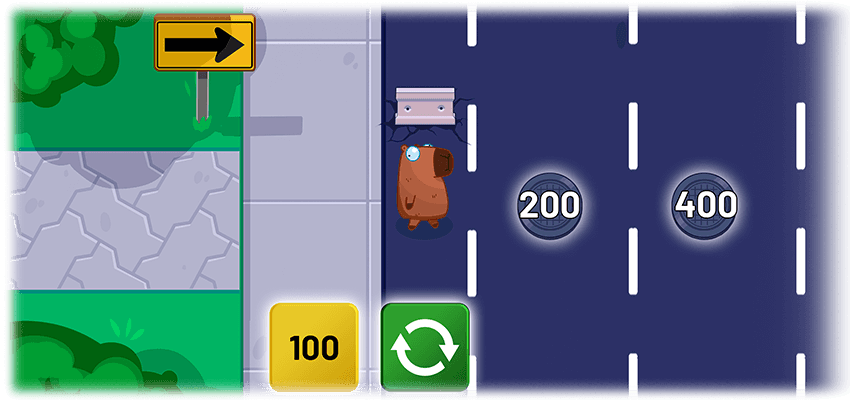
Press start/next or the next lane’s manhole to advance to the next position in the highway.
If the character is not run over, decide to cash out the current wins or continue advancing for bigger prizes.
Step 4:
The game round ends when the character is run over, with no wins;

or when the player cashes out the current wins or the character makes it safely to the end of the highway.
WINS
Getting to the end of the road safely will automatically cash out the latest shown amount.
There are 24 lanes for any of the difficulty levels.
After cashing out, the current round ends and the character is placed at the beginning of the highway.
The available payouts for each difficulty level are (x bet):
Easy: 1.1x, 1.2x, 1.3x, 1.4x, 1.5x, 1.6x, 1.7x, 1.8x, 1.9x, 2.0x, 2.1x, 2.2x, 2.3x, 2.4x, 2.5x, 3.0x, 3.5x, 4.0x, 5.0x, 6.0x, 8.0x, 10.0x, 12.0x, 24.0x
Medium: 1.2x, 1.4x, 1.6x, 1.8x, 2.0x, 2.2x, 2.4x, 2.7x, 3.5x, 5.0x, 7.0x, 9.0x, 11.0x, 14.0x, 19.0x, 27.0x, 40.0x, 64.0x, 111.0x, 223.0x, 555.0x, 2231.0x, 2454.0x, 2500.0x
Hard: 1.3x, 1.5x, 1.7x, 1.9x, 2.3x, 3.0x, 4.0x, 10.0x, 15.0x, 20.0x, 27.0x, 40.0x, 64.0x, 111.0x, 223.0x, 555.0x, 2231.0x, 2454.0x, 2500.0x, 2800.0x, 3200.0x, 3800.0x, 4500.0x, 5000.0x
Crazy: 1.6x, 1.8x, 2.2x, 3.5x, 5.0x, 20.0x, 50.0x, 100.0x, 395.0x, 555.0x, 1055.0x, 2231.0x, 2454.0x, 2500.0x, 2800.0x, 3200.0x, 3800.0x, 4500.0x, 5000.0x, 5800.0x, 6600.0x, 7500.0x, 8500.0x, 10000.0x
Player interaction or timing has no effect on the game outcome.
CUMULATIVE WIN LIMIT
The cumulative win limit is 11000 multiplied by the total bet.
Maximum win per this jurisdiction!
Be aware - maximum win allowed in the jurisdiction you are currently playing is {JURISDICTION_MAX_WIN_CAP_AMOUNT}. This means, that even though game may display higher win amounts, your balance will be credited only for {JURISDICTION_MAX_WIN_CAP_AMOUNT}.
WIN/LOSS
Maximum Bet: {amount}
Maximum Win: {amount}
Maximum Hourly Loss: {amount}
MAX WIN PROBABILITY
The probability of the maximum win displayed in this game refers to the sum of winnings of the highest possible symbol values, across all possible win criteria - either as a single game round or collectively as part of a feature. This may, or may not, include additional winnings obtained through extra win multiplying possibilities within the game. Higher winnings are also possible at a lower probability.
Quick start
Game starts by setting a selected Bet amount and Difficulty and by pressing the Start button.
Round ends when the character is run over with no wins; or after the win presentation if there are wins.
Game menu
Game menu contains options and settings that control some of the game features:
- History - Displays previous rounds from the current session
- Close Game - Closes the game client
- Sound - Controls the Sound FXs in the game (on/off)
- Music - Controls the Music in the game (on/off)
Game is paused while the menu is visible and can be closed by pressing the Close button or anywhere on the screen.
BET AND DIFFICULTY SELECTION
Game starts with a default Bet amount and Difficulty set for the game.
Player can change the Bet amount by either:
Using Up and Down arrow buttons next to the Bet Amount
Pressing the Bet amount where Bet Amount selector will open up
Player can change the Difficulty by either:
Using Up and Down arrow buttons next to the Difficulty level
Pressing the Difficulty level where Difficulty selector will open up
Bet amount and Difficulty cannot be changed during a game round.
Autoplay and Auto Cashout (where available)
Autoplay automatically repeats a set bet and difficulty for a selected number of game rounds. It is activated by pressing the corresponding button, which opens a window where you can select the number of game rounds to bet.
To cancel autoplay simply click the button again.
Autoplay stops if any of the following occurs:
Selected number of autoplay rounds have been played.
Your balance is too low to continue.
Auto cashout guarantees to collect your wins when a set bet multiplier win is reached and the character hasn’t been run over.
It is activated by pressing the arrow up, which changes OFF to a bet multiplier for the value of the cashout.
This value ranges from the lowest payout in the selected difficulty level to its highest.
To deactivate auto cashout, press the arrow down until OFF appears.
If the character is run over before the set cashout limit is reached, the bet is lost.
Malfunction
A malfunction of the game voids all pays. In case the game round is interrupted, it can be restored by simply starting the game again. If it is not restored, the round is voided within the jurisdictional requirements or operator's policy and their terms and conditions.
User interface
Start a game round. You can also use a space bar (desktop only)
Change the bet amount and the difficulty for the round to be played.
Display autoplay and auto cashout mode settings (where available)
Enable/Disable Turbo mode (where available)
Super Turbo mode (where available)
Open menu
Display/Hide game rules
Turn the music/sound submenu