Basic Rules
Reels are determined at the start of each spin and contain the following symbols:
STACKED FIREBALL SYMBOLS
 symbols with prizes are present on all 5 reels.
 symbols with prizes are present on reel 3 only.
 and
and  symbols, SINGLE or DOUBLE are also present on reels.
Each FIREBALL displays a prize ranging from 1x to 100x the total bet, the MINI or the MINOR Bonus Prize.
Both FIREBALLS included in any symbol always display identical prizes.
symbol always display identical prizes.STACKED WILD SYMBOLS
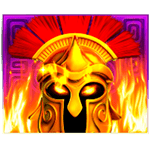 is present on reels 2, 3, 4 and 5 and replaces all symbols except
  and any or symbol.
All other symbols 


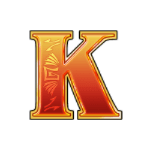
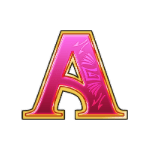
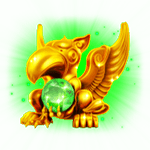
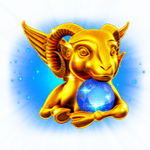

 are unstacked and present on all 5 reels.
are unstacked and present on all 5 reels.All line wins pay from left to right on adjacent reels, starting with the leftmost reel.
Only the highest line win is paid on each active pay line.
Wins on multiple lines are added together.
All wins are multiplied by the bet multiplier.
Only the highest scatter win is paid per play.
The base game is played on a {reelStr} grid, with {num} lines.
Free Games Feature
3 or more symbols trigger the Free Games Feature and award:
symbols trigger the Free Games Feature and award:3x = 2x the total bet
= 2x the total bet4x = 15x the total bet
= 15x the total bet5x = 100x the total bet
= 100x the total bet+ 7 Free Games
3 or more symbols during the Free Games Feature award 3 additional Free Games
symbols during the Free Games Feature award 3 additional Free Games symbols are present on reels 2, 3, 4 and 5 during the Free Games Feature.Free Games are played with a new set of reels.
Scattered wins and Free Games wins are added to other wins.
The bet is the same as the game that triggered the feature.
FLAMIN LINK FEATURE
6 or more FIREBALLS obtained in one game trigger the Flamin’ Link Feature.
With less than 6 FIREBALLS on reels at the end of a game, the ARES may randomly bring the count of FIREBALLS to 6 by turning one or more symbols into symbols.
symbols into symbols.Each FIREBALL display one of the following prizes:
1x, 2x, 3x, 4x, 5x, 10x, 15x, 20x, 50x or 100x the total bet, the MINI or the MINOR Bonus Prize
Prizes on FIREBALLS are displayed in credits, already multiplied by the bet multiplier, except for the MINI and the MINOR Bonus Prizes, whose values are displayed in money on top of the reels.
The player is taken to a screen with 15 individual mini-reels. All and symbols present on reels at trigger stay locked in their position.
and symbols present on reels at trigger stay locked in their position.The Flamin’ Link Feature starts with 3 spins.
The obtention of 1 or more FIREBALL on screen after a spin, whether with a and a symbol resets the spin counter to 3.
and a symbol resets the spin counter to 3.The ARES may also randomly turn 1 or more symbols on mini-reels into symbols at the end of a spin, which also resets the spin counter to 3.
symbols on mini-reels into symbols at the end of a spin, which also resets the spin counter to 3.The Flamin’ Link Feature ends when no additional FIREBALL is obtained in any way at the end of a spin with the spin counter at zero, or as soon as all 15 positions are filled with and/or symbols.
and/or symbols.If the Flamin’ Link Feature and the Free Games Feature are triggered at the same time, the Flamin’ Link Feature will be played first.
All prizes on FIREBALLS obtained at trigger and during the feature, and any winning combination with regular paytable symbols obtained in the triggering game (if any) are paid once, at the end of the feature.
Regular paytable symbols are not considered during the Flamin’ Link Feature.
JUGGLING FEATURE
Whether during a regular game, a Free Game or during the Flamin’ Link Feature, shall all positions of the reels be filled with FIREBALLS, the Juggling Feature is triggered.
The ARES juggles with the MINOR, the MAJOR and the GRAND.
Each Bonus Prize is represented by its associated color.
In regular or Free Games, a full screen of FIREBALLS can occur with symbols only, in such case, the Flamin’ Link Feature will not be played.
symbols only, in such case, the Flamin’ Link Feature will not be played.All prizes, MINOR Bonus Prizes displayed on FIREBALLS are paid, in addition to any Bonus Prize won in the Juggling Feature.
BONUS PRIZE FEATURE
MINI: value of {value}
MINOR: value of {value}
More than one MINI and MINOR Bonus Prizes can be won in 1 game and the Flamin’ Link Feature.
MAJOR: base value of {value}
GRAND: base value of {value}.
Only one MAJOR or GRAND can be won during the Juggling Feature
All 4 Bonus Prize values are displayed in money, on top of the reels, and are available on all bets.
Any Bonus Prize win is added to other wins.
Paytable
Winnings per symbol are calculated for Bet amount of {BET_AMOUNT}.
RTP of this game is %.
The RTP was calculated by simulating at least 1 billion spins.
Wild symbol
Scatter symbol
x5 5000
x4 750
x3 100
x5 150
x4 50
x3 10
x2 2
x5 100
x4 30
x3 5
x5 100
x4 25
x3 5
x5 100
x4 25
x3 5
x5 75
x4 20
x3 5
x5 50
x4 10
x3 5
x5 50
x4 10
x3 5
x5 50
x4 10
x3 5
x5 50
x4 10
x3 5
Paylines
1
2
3
4
5
6
7
8
9
10
11
12
13
14
15
16
17
18
19
20
21
22
23
24
25
26
27
28
29
30
31
32
33
34
35
36
37
38
39
40
41
42
43
44
45
46
47
48
49
50
Maximum win per this jurisdiction!
Be aware - maximum win allowed in the jurisdiction you are currently playing is {JURISDICTION_MAX_WIN_CAP_AMOUNT}. This means, that even though game may display higher win amounts, your balance will be credited only for {JURISDICTION_MAX_WIN_CAP_AMOUNT}.
WIN/LOSS
Maximum Bet: {amount}
Maximum Win: {amount}
Maximum Hourly Loss: {amount}
MAX WIN PROBABILITY
The probability of the maximum win displayed in this game refers to the sum of winnings of the highest possible symbol values, across all possible win criteria - either as a single game round or collectively as part of a feature. This may, or may not, include additional winnings obtained through extra win multiplying possibilities within the game. Higher winnings are also possible at a lower probability.
Quick start
Game starts by setting a selected Bet amount and by pressing the Spin button. Round ends when reels stop and there are no wins, or after the win presentation if there are wins.
Turbo mode (where available)
Turbo mode is speeding up reels spinning animation when enabled. This option does not influence the game round result but only visual presentation.
Super Turbo mode (where available)
Super Turbo mode is speeding up reels spinning animation beyond Turbo mode when enabled. This option does not influence the game round result, but only the visual presentation.
Game menu
Game menu contains options and settings that control some of the game features:
- History - Displays previous rounds from the current session
- Close Game - Closes the game client
- Sound - Controls the Sound FXs in the game (on/off)
- Music - Controls the Music in the game (on/off)
- Turbo mode (where available) - Controls the Turbo mode feature (on/off)
- Left Hand Mode (where available) - Controls the position of the UI on Mobile devices
- Vibrate (where available) - Controls the vibration on the Mobile devices (on/off)
Game is paused while the menu is visible and can be closed by pressing the Close button or anywhere on the screen.
Bet selection
Game starts with a default Bet amount set for the game. Player can change the Bet amount by either:
- Using Plus and Minus buttons next to the Bet Amount
- Pressing the Bet amount where Bet Amount selector will open up
Bet amount cannot be changed during a game round and if there is a win presentation happening, changing bet Amount will reset the presentation.
Autoplay mode (where available)
Autoplay mode enables automatic play of game. It can be enabled or disabled at any time during the Base game. Autoplay mode is enabled by pressing the Autoplay button which allows the player to select:
- Number of rounds to be played automatically.
- Loss Limit (where available) - Disables the Autoplay mode if Balance is reduced by more than Loss Limit amount.
- Stop on Bonus Feature (where available) - Disables the Autoplay mode when Bonus game or Free games are triggered.
- Stop on Win above (where available)- Disables the Autoplay mode when there is a single round win exceeding the amount entered.
Autoplay button will display the remaining number of spins to be played automatically.
Pressing on the Spin button while Autoplay mode is enabled will reset the number of Rounds and disable the Autoplay mode.
Malfunction
A malfunction of the game voids all pays. In case the game round is interrupted, it can be restored by simply starting the game again. If it is not restored, the round is voided within the jurisdictional requirements or operator's policy and their terms and conditions.
User interface
Start a game round. You can also use a space bar (desktop only)
Change the bet amount for the round to be played
Display autoplay mode settings (where available)
Enable/Disable Turbo mode (where available)
Open menu
Display/Hide game rules
Turn the music/sound submenu